A little fun with every tap.
A cute calculator app
Spring birds, summer waves, Halloween ghosts, winter snowmen… Choose from 9 designs and enjoy animations and sounds every time you press a button.
- Moves when you tapThe picture moves with every key
- Swipe to changeSwipe left or right through 9 designs
- Music and soundsEach design has its own BGM
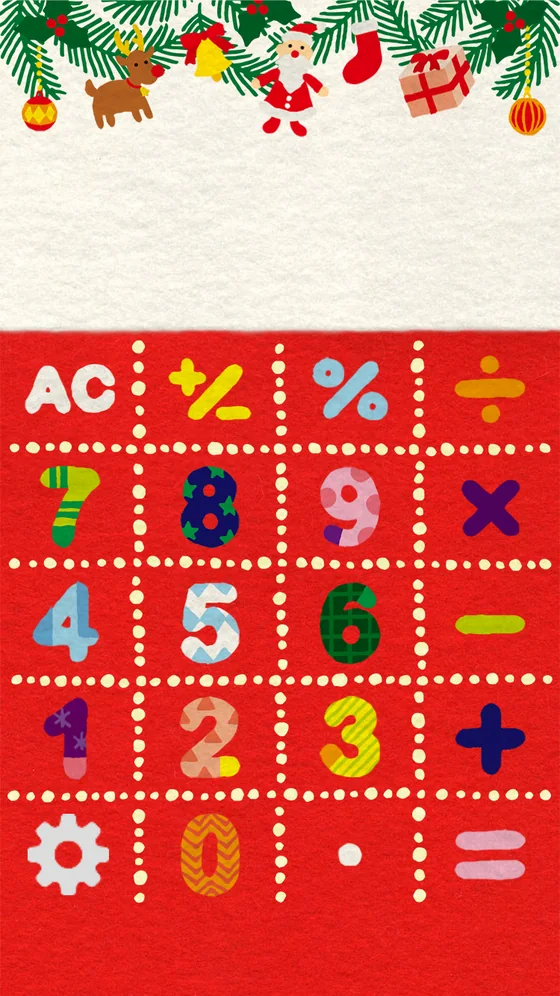
This is the same calculator as in the app.
Press the keys, or swipe left and right.
9 designs
Swipe left or right to switch designs. Each design has its own background, buttons, BGM, sound effects and animations.
Tap one to try it on the calculator above.
Moves with every tap
Press a button and birds hop, snow falls, or a shooting star crosses the sky.
BGM and sound effects
Each design comes with its own music and sounds. Turn them on or off in Settings.
Your numbers stay on your device
The numbers you enter and your results are never saved or sent anywhere.
FAQ
How do I change the design?
Swipe left or right on the calculator to switch to the next design. You can also choose from the list in Settings (the gear button) → Design.
Can I remove the ads?
Purchase "Remove Ads" (a one-time in-app purchase) in Settings and ads will no longer be shown.
What happens to "Remove Ads" when I change phones?
Tap "Restore purchases" in Settings using the same Apple Account or Google Account you used to buy it. You can keep using it without paying again. It cannot be transferred between iPhone and Android.
I can't hear any sound
Check that BGM and sound effects are turned on in Settings. On iPhone, no sound plays while the Ring/Silent switch is set to silent. The app plays over your music without stopping it.
Is my calculation history saved?
No. The numbers you enter and your results are never saved or sent anywhere.
Which OS versions are supported?
iOS 15.0 or later on iPhone / iPad, and Android 7.0 or later. On devices with iOS 14 or earlier, you can keep using the previous version (the update will not be offered).
Contact
For questions or bug reports, please email us.
Including your device, OS version and app version helps us look into it quickly.